


The best reporting tools for managing offshore teams efficiently are those that give you clear visibility into work, performance, and communication across time zones in one place. Remote work has become a key enabler for managing offshore employees and outsourced teams, allowing companies to tap into global talent and increase flexibility.
Benefits of Reporting Tools for Managing Offshore Teams
- Improved project success with better communication: Projects with effective communication and reporting dashboards are about 83% more successful than those lacking structured reporting processes, highlighting how reporting tools aid alignment and transparency across distributed teams.
- Boosted productivity from workflow tracking: Companies that implement workflow tracking and reporting tools report 30–40% higher productivity gains, especially when monitoring task progress and performance data.
- Greater cross-team collaboration: Modern project and reporting tools like Asana, Trello, and Jira facilitate real-time updates and task visibility, reducing miscommunication and improving coordination across offshore and core teams.
- Faster bottleneck detection and resolution: Tools with visual reporting (e.g., burndown, velocity, and cumulative flow charts) help teams identify workflow bottlenecks faster, significantly improving execution predictability.
- Centralized performance insights: Integrated reporting dashboards allow offshore team managers to consolidate project data into digestible views, enabling faster decision-making and clearer performance accountability.
Reporting tools are most effective when they track the right metrics, which is why defining important KPIs for managing offshore teams should be the first step before selecting any platform.
Why Do Offshore Teams Need Efficient Reporting Tools?
Offshore teams need efficient reporting tools because distance and time zones amplify every gap in visibility, alignment, and trust. Without structured reports, managers rely on gut feel and scattered messages instead of reliable data.
Make Distributed Work Visible
Reporting tools make distributed work visible to everyone, not just to the people in one office. For teams spread across different regions and time zones, these tools help keep everyone aligned and productive by providing real-time updates and transparency. Dashboards show who is working on what, how far tasks have progressed, and which deadlines are at risk.
Team collaboration is especially important among diverse teams, where inclusion and cultural awareness can drive innovation and retention. Visual project management tools like Trello, with its intuitive boards, lists, and cards, make it easy for global teams to organize, track, and manage tasks efficiently, further enhancing collaboration and workflow transparency. This shared view reduces confusion and stops the same questions from repeating in every meeting.
Align Expectations Across Time Zones
Efficient reports align expectations when people rarely work in the same hours. However, time zone gaps can create challenges for communication and coordination, making it harder for offshore teams to stay aligned. A few strategies for managing these time zone gaps include scheduling meetings during overlapping hours to ensure real-time collaboration and regular check-ins. Teams can log updates before ending their day, and managers can review them when their day begins. This rhythm keeps projects moving overnight and reduces long email threads that slow decisions.
Reduce Micromanagement and Status Chasing
When reports are clear, managers stop chasing updates in chat and email. Reporting tools support performance management and enhance team functions by providing clear metrics and accountability, making it easier to monitor productivity and ensure quality across offshore teams. Team members know what needs to be reported and in which format, so they share updates once instead of many times. This structure lowers stress and gives offshore teams more autonomy while still keeping leadership informed.
Support Compliance and Client Commitments
Some teams must prove how they used time or handled data for clients and regulators. Reporting tools store an auditable record of work, approvals, and changes. This history simplifies audits, supports service-level commitments, and protects the organization during reviews.
A dedicated local team plays a key role in maintaining compliance and supporting client commitments, working closely with offshore teams to ensure all regulatory and business requirements are met.
What Are the Best Reporting Tools for Managing Offshore Teams Efficiently?
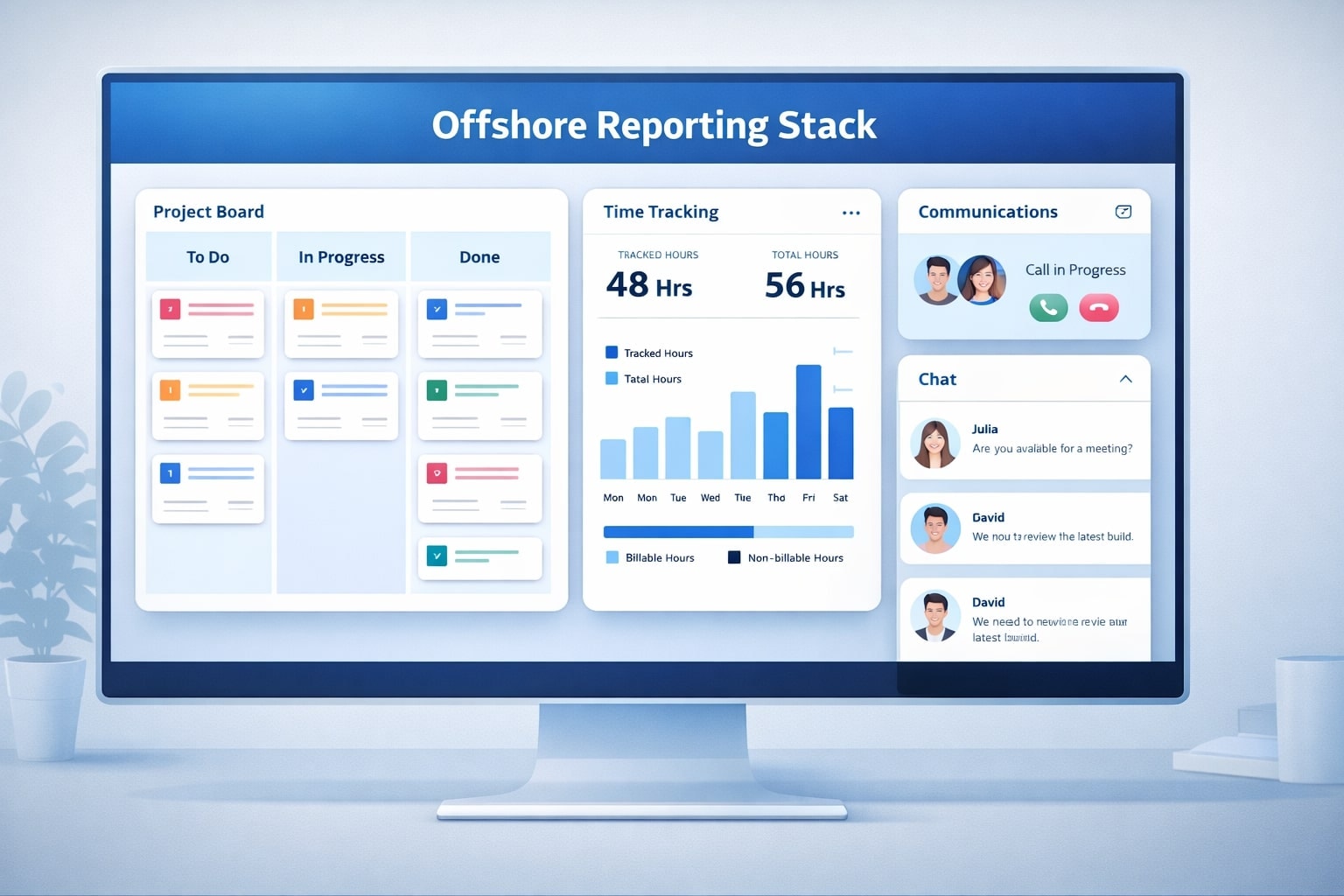
The best reporting tools for managing offshore teams efficiently combine project tracking, time tracking, communication, and analytics in an integrated stack. When selecting reporting tools, it's important to consider the key features that support offshore collaboration, such as real-time updates, customizable dashboards, and robust permissions. No single tool does everything, so you assemble a small ecosystem that works together. Choose tools that can manage multiple projects and integrate seamlessly with your existing workflows to ensure smooth collaboration and minimal disruption.
Project and Task Management Platforms
Project and task management platforms act as the backbone of offshore reporting. Tools such as Jira, Asana, ClickUp, Trello, and Monday.com let teams break work into tasks, assign owners, add due dates, and track progress through boards and timelines. ClickUp combines task management, document sharing, and goal tracking into a single platform, simplifying complex workflows for remote and offshore teams.
These platforms are particularly useful for software development teams managing offshore projects, as they support collaboration, project management practices, and performance assessments tailored to software development needs. Trello's Kanban boards help visualize tasks, providing a straightforward way for managers to oversee and coordinate offshore teams. Status reports then flow from the real-time state of tickets rather than from manual summaries.
Time-Tracking and Productivity Tools
Time-tracking and productivity tools show how effort is actually spent. For offshore employees, effective time management is crucial to balance workloads across different time zones and ensure deadlines are met. Applications like Time Doctor, Hubstaff, Toggl Track, or Harvest capture hours by project, client, or task. Time Doctor provides deeper analytics for managing offshore teams, including visual and activity tracking features.
Clockify offers detailed reporting and key metrics such as billable versus non-billable hours, which are especially useful for offshore teams. Hubstaff is designed to monitor and track productivity, making it ideal for managing offshore employees. RescueTime automatically tracks digital activities and provides insights into work patterns for offshore teams, focusing on trends without relying on invasive surveillance. These reports help managers understand capacity, compare estimated time to actual time, and improve future planning.
Communication and Collaboration Tools
Communication tools become richer when you use them as reporting channels, not only for chats. Slack, Microsoft Teams, and similar platforms can receive automatic alerts from project tools when tasks move stage or deadlines slip. Slack simplifies communication for offshore teams with its channel-based structure and extensive app integrations, making it a team messaging platform designed to streamline collaboration. Structured status channels turn quick updates into a permanent, searchable reporting history.
Video conferencing and video calls, using platforms like Zoom and Google Meet, are essential for real-time collaboration in offshore teams. Google Meet, with its integration into Google Workspace, is a popular choice for virtual meetings and offers features like screen sharing, which enables real-time demonstrations and feedback. A user-friendly interface in these communication and collaboration tools ensures that remote teams can stay connected and productive with minimal friction.
Leveraging collaboration tools enhances communication and transparency within offshore teams, allowing developers, designers, and project managers to work together seamlessly, regardless of location. Communication platforms foster real-time interaction, build stronger relationships, and create an environment where teams can work as if they were in the same office.
Analytics and Dashboard Tools
Analytics and dashboard tools sit on top of operational data and turn it into insights. Business intelligence tools such as Power BI, Tableau, or lightweight dashboards aggregate data from project boards, time tracking, and CRM systems. These tools offer robust progress tracking features, providing visibility into project status, task completion, and team productivity across offshore teams.
By automating data aggregation and reporting, they help streamline workflows, reduce manual effort, and enhance overall efficiency. Monitoring tools should focus on improving productivity with clear metrics and open communication, ensuring that offshore teams stay aligned and productive. Leaders then see trends in throughput, quality, and utilization without diving into each tool.
Documentation and Knowledge Tools
Documentation tools support reporting by capturing decisions and context. Confluence, Notion, and shared document platforms store meeting notes, post-mortems, and design documents linked to specific projects. When dashboards show a spike or a delay, managers can click into the related documents to understand the story behind the numbers.
File Sharing and Security Tools
File sharing and security are foundational to managing offshore teams effectively, especially when team members are spread across different locations and time zones. Ensuring that everyone has secure, real-time access to the files and documents they need is essential for seamless collaboration and successful offshore team management.
Modern file sharing tools like Google Drive, Dropbox, Microsoft OneDrive, pCloud, and Tresorit are designed to support distributed teams by enabling real time collaboration on documents, spreadsheets, and presentations. These platforms allow offshore team members to upload, share, and edit files simultaneously, ensuring that everyone is working with the most up-to-date information. This capability is crucial for project management, as it keeps all stakeholders aligned and reduces the risk of version control issues.
Security is a top priority when managing offshore teams, particularly when handling sensitive client data or intellectual property. Leading file sharing solutions offer robust security protocols, including end-to-end encryption, granular access controls, and compliance with international standards such as GDPR and HIPAA. Features like two-factor authentication and single sign-on add an extra layer of protection, ensuring that only authorized users can access critical files. Tools such as Microsoft Teams and Google Workspace integrate these security features directly into their collaboration environments, making it easier for offshore teams to maintain compliance and safeguard information.
For offshore development teams and global teams working on multiple projects, the ability to integrate file sharing tools with project management platforms is a significant advantage. Solutions like Google Drive and OneDrive connect seamlessly with project management tools such as Asana, Trello, and Jira, allowing teams to attach files directly to tasks, track progress, and manage project schedules without switching between platforms. This integration streamlines workflows, supports efficient task assignments, and helps project managers keep everyone on the same page.
By leveraging the right file sharing and security tools, offshore teams can boost productivity, minimize communication gaps, and ensure that sensitive information remains protected. These tools not only facilitate real time collaboration and knowledge sharing but also support the core business activities that drive successful offshore team management. With secure, user-friendly platforms in place, businesses can confidently manage offshore teams, track project progress, and achieve their goals—no matter where their team members are located.
Sample View of a Simple Offshore Reporting Stack
|
Layer |
Example Tools |
Primary Purpose |
|
Project management |
Jira, Asana, ClickUp |
Track tasks, owners, deadlines |
|
Time tracking |
Time Doctor, Hubstaff, Toggl Track |
Capture effort by task or project |
|
Communication |
Slack, Microsoft Teams |
Share alerts, status updates, quick clarifications |
|
Analytics and dashboards |
Power BI, Tableau |
Consolidate metrics and trends |
|
Documentation |
Confluence, Notion |
Store context, decisions, and playbooks |
Even the best dashboards fall short without strong leadership practices, so these tips for managing offshore teams help managers act on reporting insights effectively.
How Do Reporting Tools Improve Communication With Offshore Teams?
Reporting tools improve communication with offshore teams by replacing ad-hoc updates with clear, structured, and shared information. Establishing clear communication channels is essential for ensuring alignment and transparency, especially when working across different time zones and cultures. \
Clear communication helps prevent misunderstandings and keeps all team members on the same page. Managing offshore teams can lead to communication gaps due to language differences and reliance on virtual communication tools. Reporting tools help bridge these gaps by ensuring that everyone sees the same facts, even if they join the conversation hours later.
Create Shared Dashboards Everyone Understands
Shared dashboards give teams a single source of truth. Instead of each person keeping their own spreadsheet, the reporting tool shows consistent metrics for backlog, work in progress, and completed items. When decisions rely on the same data, debates focus on solutions rather than on whose numbers are correct.
Use Asynchronous Updates to Bridge Time Zones
Reporting tools are ideal for asynchronous communication. Team members log updates, comments, and blockers directly on tasks before signing off, so onshore managers wake up to a complete picture. This pattern avoids late-night calls and “message ping-pong” that stalls progress across time zones.
Standardize Status Rituals and Formats
Tools make it easy to standardize how updates are shared. For example, every ticket can include a short template covering “What changed,” “Risks,” and “Next steps.” Weekly status pages can follow the same structure so leaders compare projects quickly without decoding unique formats.
Keep Decisions and Context Attached to Work
When key decisions are documented inside the tools, context is never lost. Comment threads, task histories, and linked docs show why something changed and who approved it. New team members can ramp up faster by reading the history instead of asking for repeated explanations.
What Reporting Features Help Track Offshore Team Performance?
Reporting features that help track offshore team performance focus on clarity of metrics, drill-down views, and trend analysis over time. These features turn raw activity into insight.
When managing an offshore development team or working with offshore developers, tracking performance presents unique challenges, especially due to time zone differences and remote collaboration. Performance management is a significant challenge in offshore teams, as monitoring productivity can be difficult without direct oversight.
Clear KPIs and Metric Definitions
Good tools let you define key performance indicators and show them in a simple way. Examples include sprint velocity, lead time, on-time delivery rate, and defect density. When metrics mean the same thing for every team, comparisons and decisions become fair and data-driven.
Individual and Team Productivity Views
Sometimes leaders need to see performance by team, and sometimes by person. Reporting tools that support both levels show how squads perform overall and whether specific roles are overloaded or underutilized. Used correctly, these views guide coaching, hiring, and workload adjustments rather than blame.
Quality and Error-Rate Tracking
Quality is as important as speed for offshore teams. Tools that track bugs, failed deployments, customer tickets, or rework give a balanced view of output. Reports that link defects back to stages of the workflow help you refine testing, reviews, and automation.
Capacity, Utilization, and Forecasting
Advanced reporting features estimate future capacity. They show how much work teams can realistically complete next sprint or next month based on past data. This insight helps managers set realistic expectations with clients and internal stakeholders. For offshore teams operating within global capability centers, reporting often extends beyond performance into governance, where local resident director services support compliance and statutory oversight.
Example Mapping of Offshore KPIs to Reporting Features
|
KPI |
Helpful Tool Feature |
|
On-time delivery rate |
Milestone tracking and due-date reports |
|
Sprint velocity |
Completed story points per sprint dashboard |
|
Defect density |
Bug tracking and severity breakdown |
|
Utilization |
Time-tracking reports by person and project |
|
Cycle time |
Workflow analytics from “start” to “done” |
How Do Reporting Tools Support Workflow and Productivity Monitoring?
Reporting tools support workflow and productivity monitoring by turning each stage of work into measurable steps. These tools are essential for monitoring offshore teams working across different locations and time zones, ensuring that collaboration and productivity remain high despite geographical barriers.
They help teams spot bottlenecks, automate hand-offs, and keep tasks flowing smoothly. Additionally, reporting tools streamline workflows and support agile methodologies, which improve collaboration, efficiency, transparency, and adaptability among remote team members.
Visualizing Work in Progress With Boards and Timelines
Kanban boards, Gantt charts, and timelines show exactly where work sits. Managers can see if tasks pile up in a testing or review column, which signals a bottleneck. Team members also understand how their tasks fit into the bigger picture, which motivates them to keep work moving.
Automating Hand-Offs and Reminders
Many reporting tools trigger automatic notifications when work changes state. For example, when a developer marks a task as “Ready for QA,” the QA channel receives an alert. Automated reminders for overdue tasks or upcoming deadlines reduce manual follow-up and protect productivity.
Removing Bottlenecks With Cycle-Time Metrics
Cycle-time metrics show how long work spends in each stage. If tasks remain stuck waiting for approvals, the tool surfaces this pattern before it becomes a crisis. Teams can then adjust staffing, refine policies, or delegate approval authority to keep flow healthy.
Capturing Context Around Delays and Risks
When tasks slip, the tool provides a place to record the reason. Notes about missing specs, environment issues, or dependency delays help identify repeat patterns. Over time, this context informs process improvements that raise productivity across the whole offshore operation.
What Integrations Make Reporting Tools More Effective for Offshore Teams?
Integrations make reporting tools more effective for offshore teams by reducing manual updates and keeping data consistent across systems. The less copying and pasting people do, the more accurate your reports become.
Connect Project Tools With Communication Platforms
Integrating project tools with chat platforms keeps everyone in sync. When tickets move stage, new bugs appear, or deployments fail, alerts flow to channels where teams already spend their time. This link turns dashboards into living, conversational reports rather than static pages.
Sync Time Tracking With Payroll and Invoicing
Connecting time-tracking tools with payroll or invoicing systems removes painful manual work. Hours logged against projects flow directly into billing or salary calculations. This integration reduces errors and ensures offshore team members are paid correctly for their contributions.
Plug Operational Data Into BI Dashboards
API integrations let you pipe raw data from multiple tools into a central analytics layer. Business intelligence dashboards then combine engineering metrics, support tickets, and financial figures in one place. Leaders view performance at portfolio level instead of toggling between many different tools.
Use Identity and Security Integrations
Identity integrations such as single sign-on make tools easier and safer to use. Employees sign in with one corporate account and their access aligns with role-based permissions. This setup simplifies onboarding and offboarding while protecting sensitive project data.
How to Choose the Best Reporting Tool for Managing Offshore Teams?
You choose the best reporting tool for managing offshore teams by starting from your goals and workflows rather than from feature lists. Selecting the right tools is crucial, as paid plans start at different price points depending on the tool, allowing you to find an option that fits your budget and needs.
A small, well-integrated toolset that fits your culture works better than trying to adopt every tool on the market. Onboarding offshore teams can be challenging, especially when you need to explain company culture and responsibilities remotely.
Clarify Your Use Cases and KPIs
First define the problems you want tools to solve. List the key questions you need reports to answer, such as “Are we delivering on time?” or “Which projects consume the most effort?”. Then identify the KPIs that will answer those questions so you can test tools against real needs.
Map Tools to Team Size and Maturity
Different stages need different levels of complexity. A small startup may combine a simple project board with basic time tracking, while a large enterprise may need portfolio-level tools and advanced analytics. Choose tools your current team can adopt quickly but that still have room to grow.
Evaluate Ease of Use and Adoption
A feature-rich tool that nobody opens adds no value. Look for clean interfaces, clear navigation, and simple ways to create reports without writing code. During trials, watch how quickly team members start using the tool without heavy training.
Check Integration and Automation Options
Integration options decide how much manual work remains. Review whether the tool connects to your existing project management, HR, finance, and communication platforms. Automation rules, webhooks, and APIs are strong signals that the tool will support your processes over time.
Review Security, Compliance, and Data Residency
Security and compliance are especially important for offshore teams handling customer data. Confirm that tools support encryption, role-based access, audit logs, and relevant certifications. Check data residency options if your company must keep data in specific regions.
Pilot With a Small Squad Before Rolling Out
Always pilot new tools with a small, cross-functional squad. During the pilot, track how reporting quality, meeting time, and response speed change. Use feedback from this group to refine workflows and configuration before scaling to the entire offshore team.
Plan Training, Templates, and Governance
Tools need clear rules to stay useful. Create training material, sample dashboards, and reporting templates that new hires can copy. Assign owners for each tool who keep fields clean, manage access, and periodically review whether reports still match business needs.
India-based offshore teams often work across complex projects that demand strong reporting discipline. Many organizations hire offshore dedicated software development teams in india to gain transparent reporting, predictable delivery, and scalable engineering operations.
FAQs About Reporting Tools for Offshore Teams
1. How much detail should managers see in reports?
Managers should see enough detail to spot risks and trends without drowning in raw activity. In practice, leadership dashboards focus on delivery, quality, and cost at project or team level, while squad leads may drill down to task or person level. If a manager needs more detail, they can click into the underlying tool rather than adding more fields to every report.
2. How often should offshore teams update their reports?
Daily updates work well for active projects, with weekly rollups for leadership. Teams can log quick status notes on tasks or in a daily channel, and tools automatically update metrics when work moves. For long-term initiatives, a monthly summary showing trends is usually enough for executive review.
3. Are free reporting tools enough for a growing offshore team?
Free tools can work for very small teams or early experiments. As headcount and complexity grow, limitations in users, integrations, or security often appear. At that point it is better to invest in paid plans that protect data, reduce manual work, and support long-term growth.
4. How do we avoid micromanagement when using detailed reports?
You avoid micromanagement by focusing reports on outcomes rather than on minute-by-minute activity. Discuss metrics with teams, explain why they matter, and agree on thresholds that trigger a conversation. Reports should start coaching discussions and process improvements, not discipline sessions.
5. What is the best way to roll out a new reporting tool across locations?
The best rollout combines a clear purpose, a small pilot, and strong champions. Select one or two offshore squads to try the tool, refine templates with their feedback, and then expand in waves Celebrate quick wins, share examples of helpful dashboards, and provide ongoing support until the new reporting habits become routine.